




// Mac apps · free

Made for our work, free for yours

MochaCut, MochaRecords, MochaDesk and MochaFiles are the tools the Mocha Labs team uses every day. Made for your Mac, with no accounts and nothing leaving it.

// What they share

Each one does one thing, and does it well

Four small apps that live in your menu bar. All four share this:

  • Free, all four

    No cost, to give your everyday work a boost.

  • Made for your Mac

    For Macs with Apple silicon, with the Liquid Glass look of macOS 26 Tahoe. In English and Spanish.

  • We use them every day

    They’re the Mocha Labs team’s own tools. We made them for our work, and now they’re yours.

  • Nothing leaves your Mac

    No accounts, no analytics and no tracking. None of them connects to the internet. Privacy notice for the apps

MochaCut

Cut and record your screen

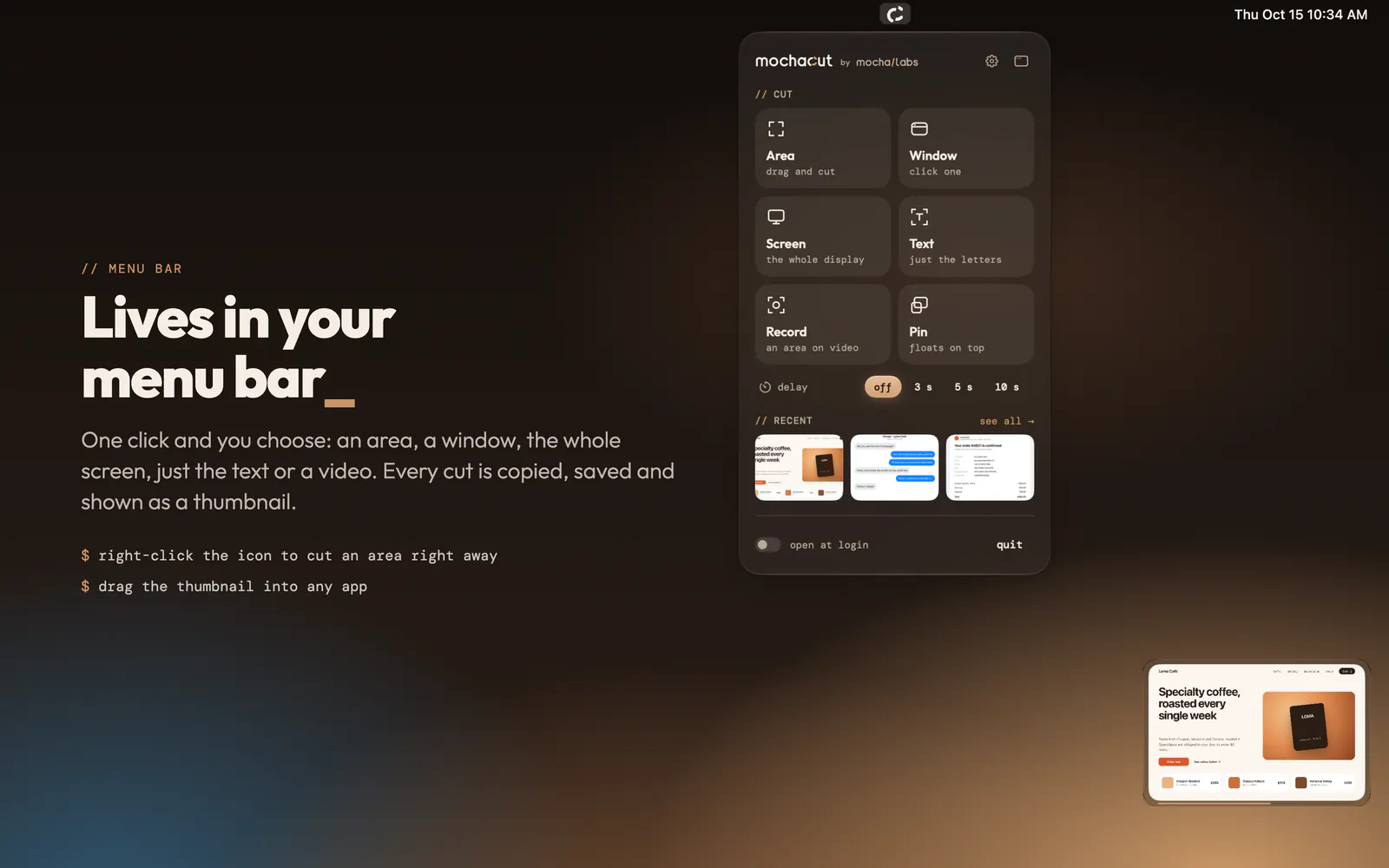
Cut or record any part of your screen, mark it up with editable layers and share it ready to go. It lives in the menu bar: every cut is copied, saved and shown as a thumbnail.

Download MochaCut

version 1.0.1 · 3.3 MB Mac with Apple silicon · macOS 26 Tahoe or later

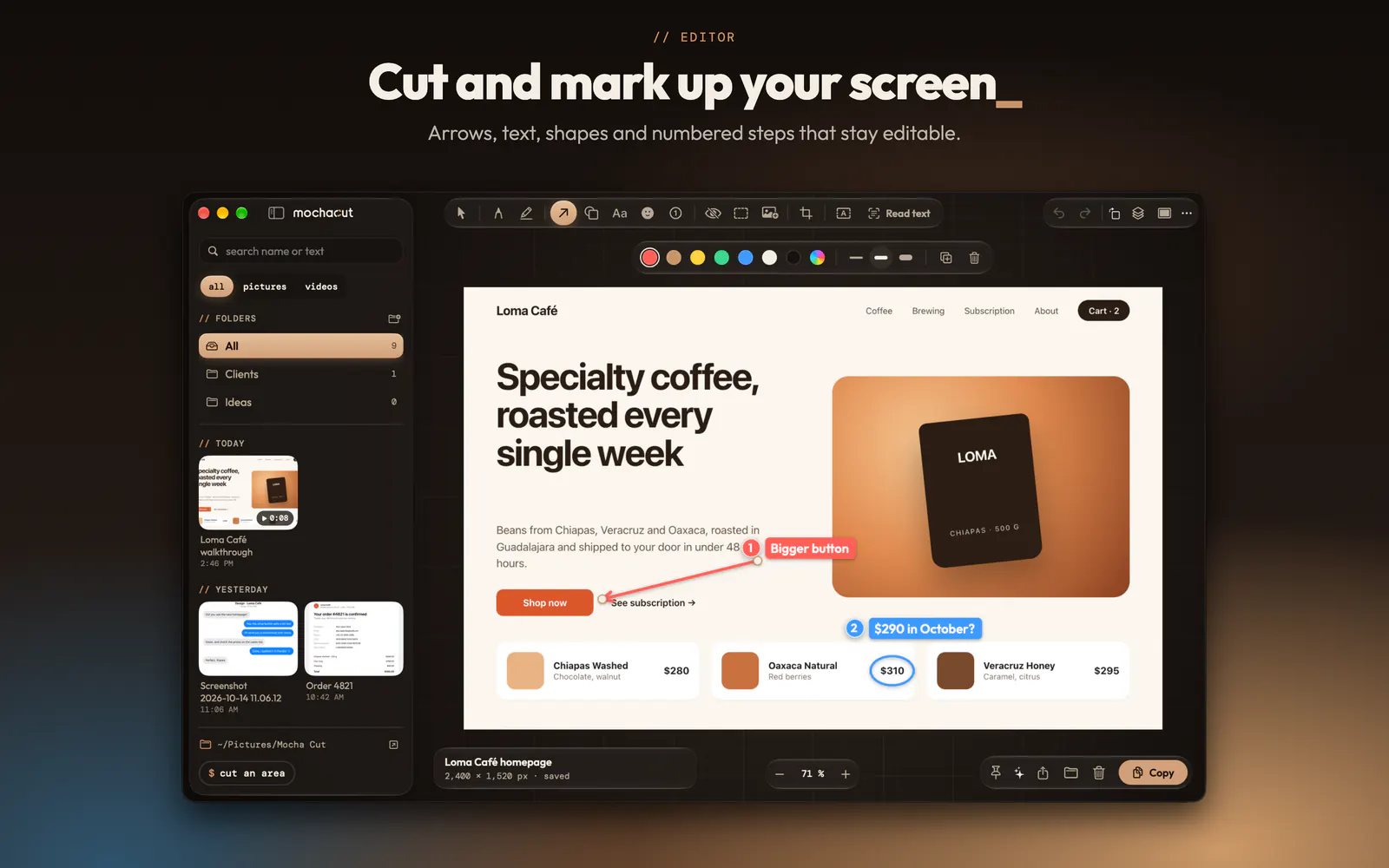
  • MochaCut editor: arrows, text and numbered steps on a screenshot of an online store
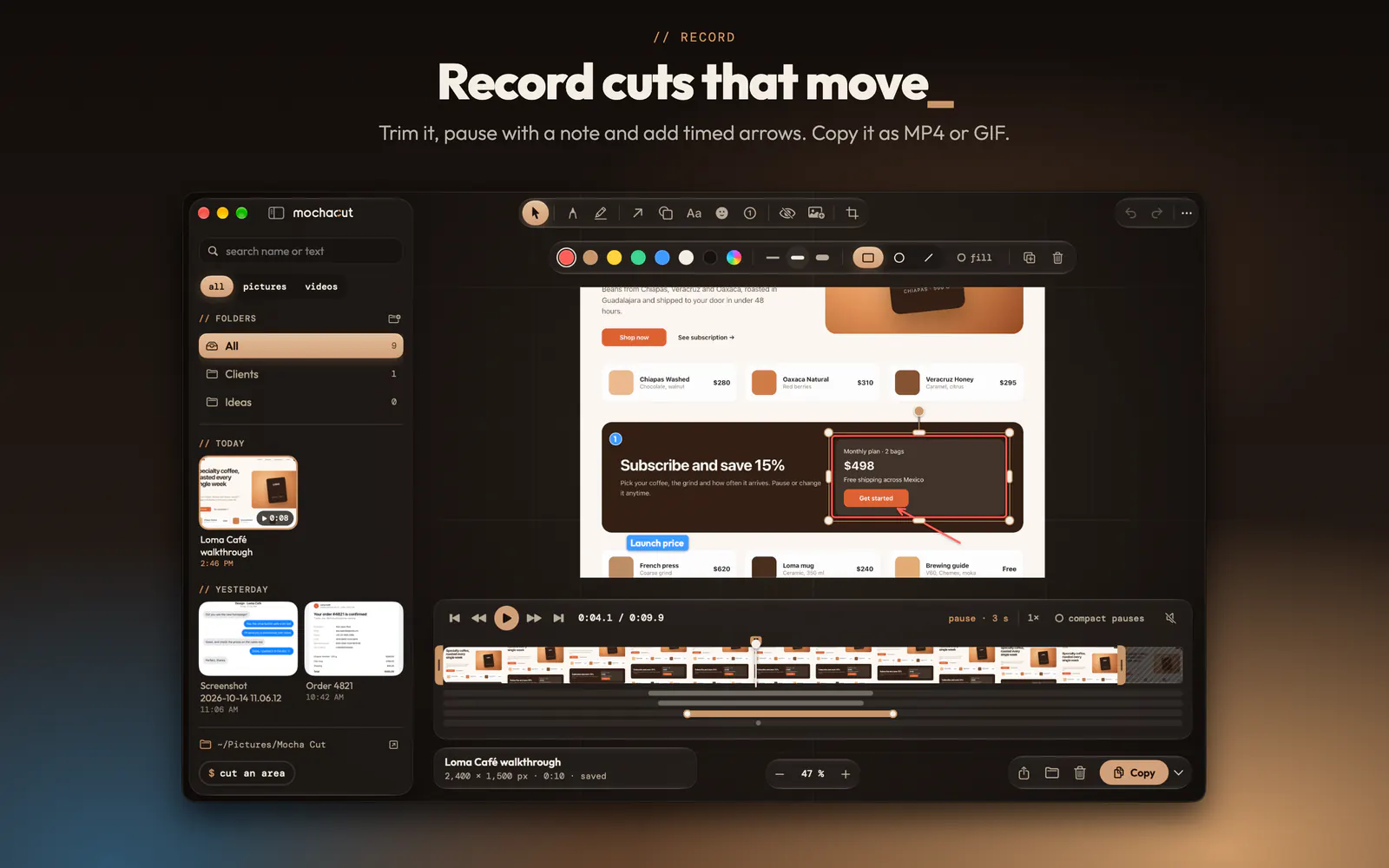
  • MochaCut clip editor: a recording with its timeline, cuts and a timed arrow
  • MochaCut menu bar panel: area, window, screen, text, record and pin
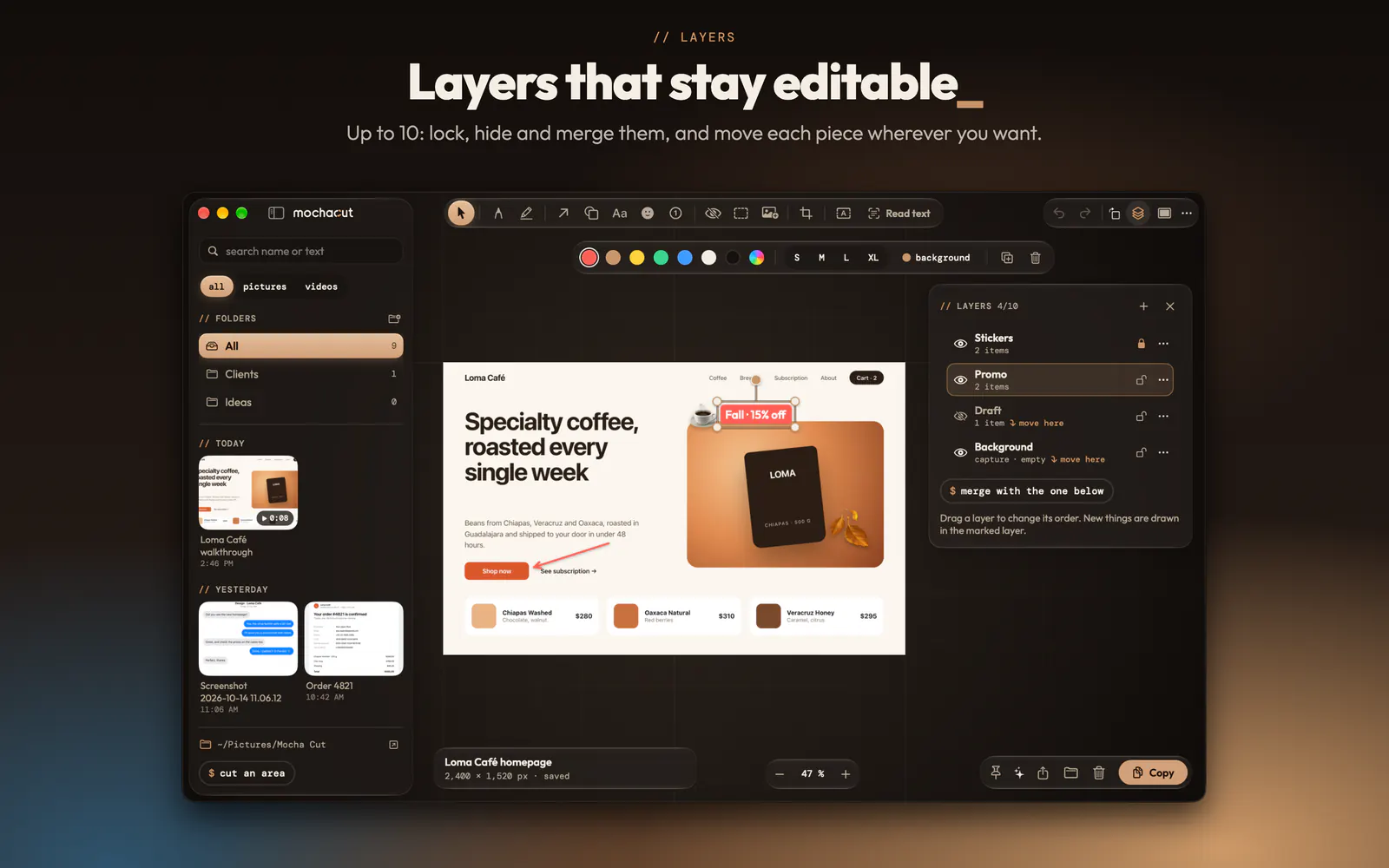
  • MochaCut layers: stamps, promo, draft and background, each one editable
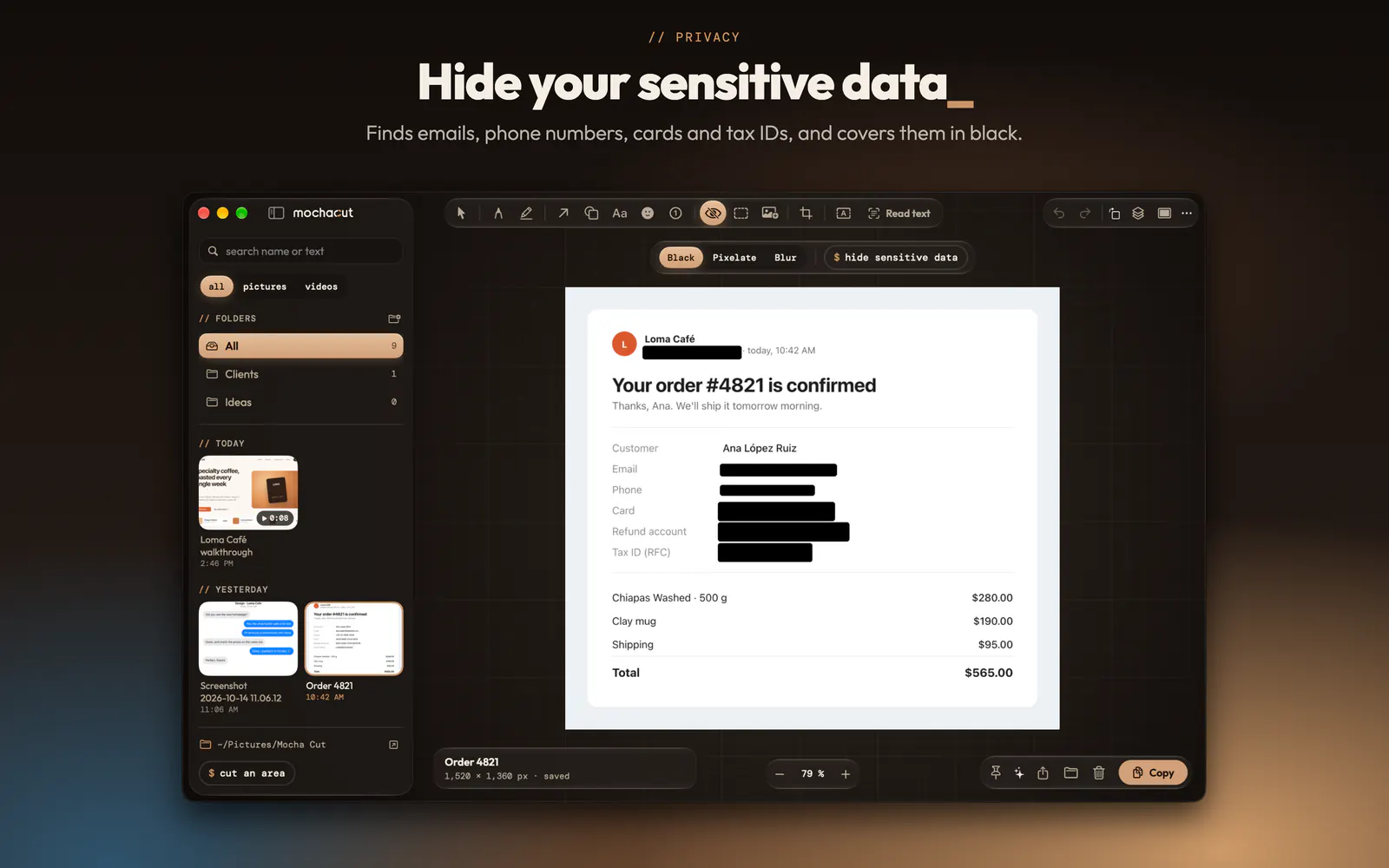
  • An order with the name, email, phone, card and bank account covered in black by MochaCut
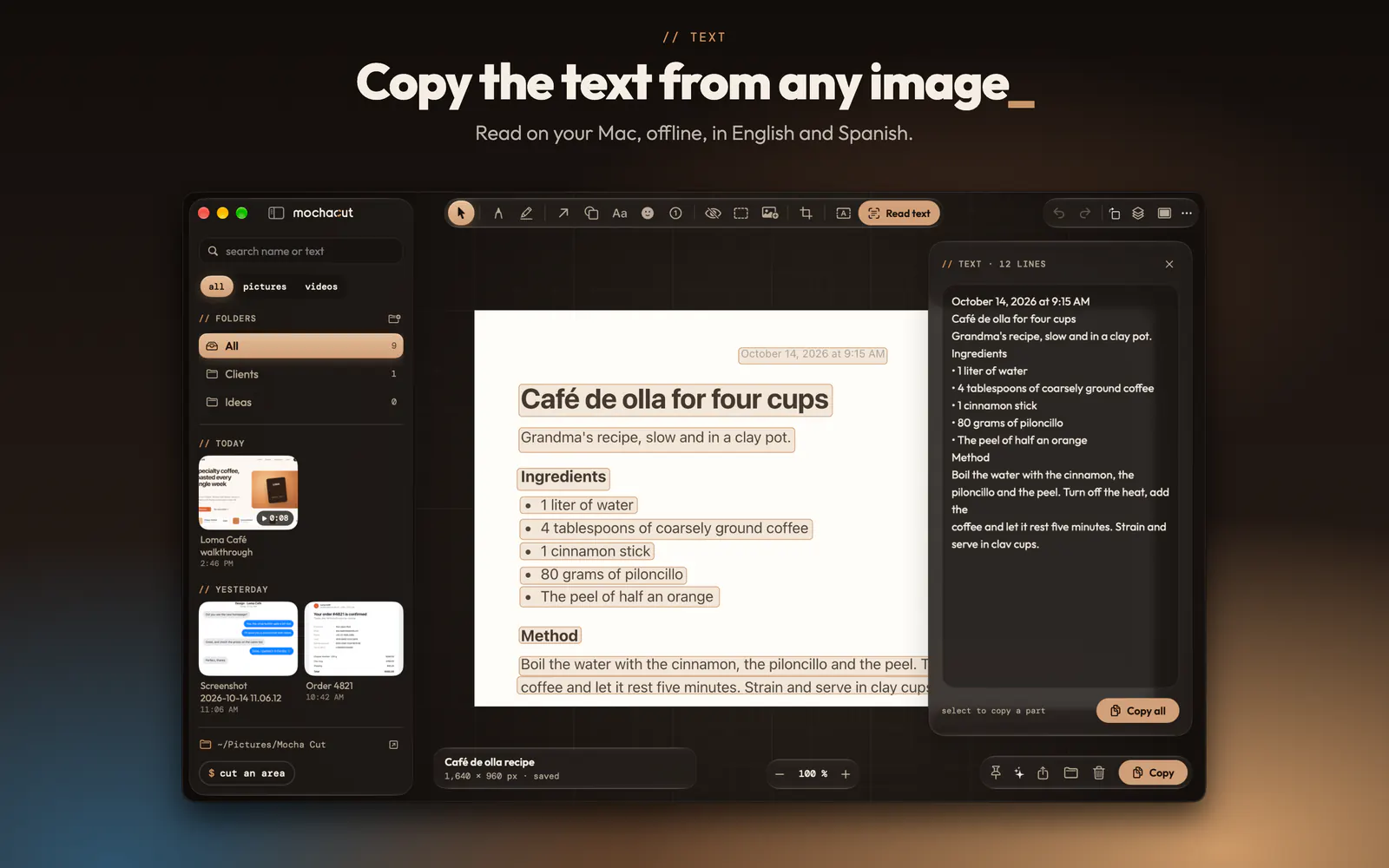
  • MochaCut reading the text of a recipe in an image to copy it
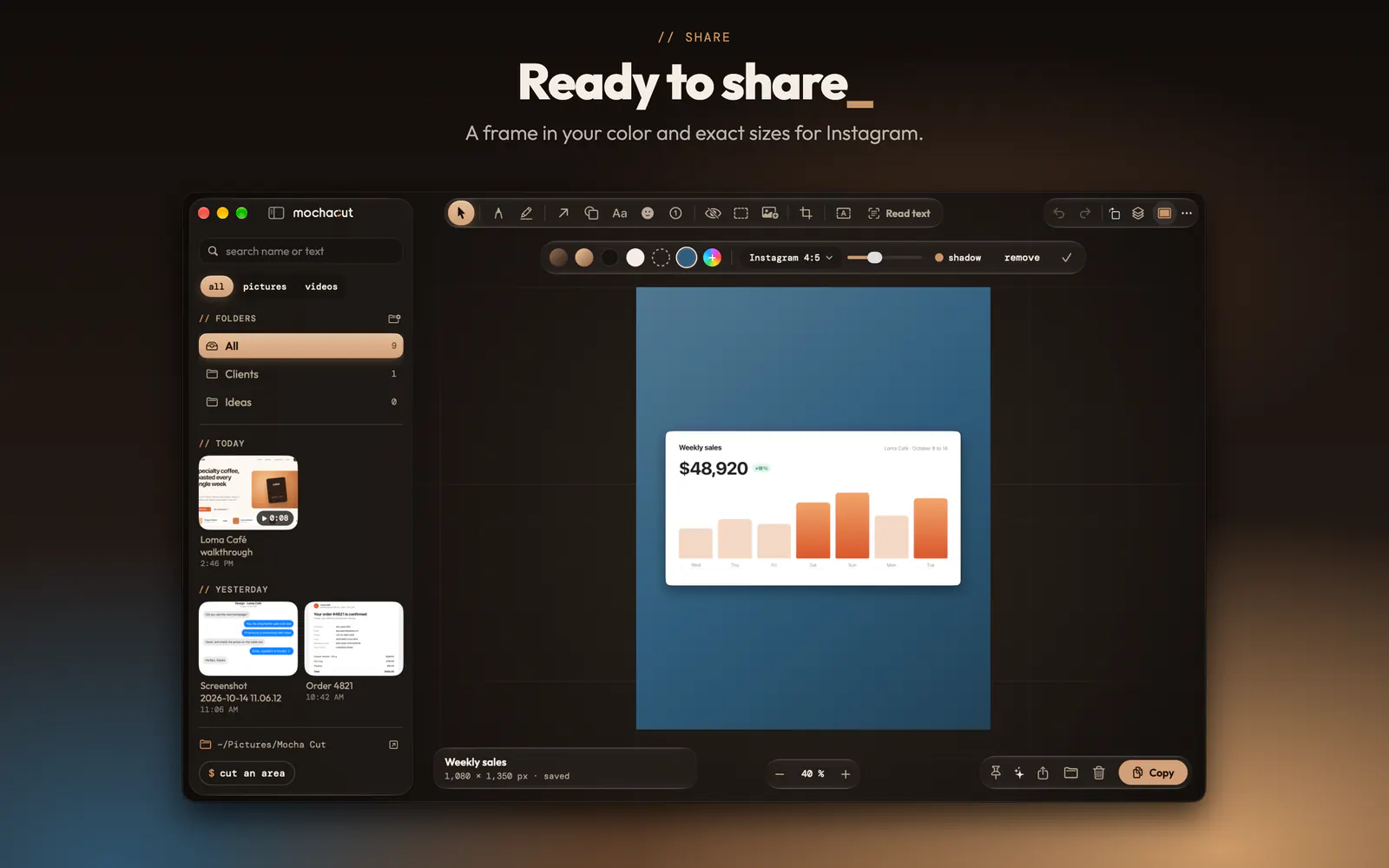
  • A sales chart inside a blue frame sized 4:5 for Instagram
  • Cut it your way

    An area, a window with its shadow or the whole screen. The screen freezes when you start, so menus and alerts stay exactly as they were.

  • Record cuts that move

    With your Mac’s sound, your microphone or both. Trim, pause with a note and copy it as MP4 or GIF.

  • Copy text from anywhere

    Select an area and copy its text, in English or Spanish, offline. If there’s a QR code, it copies its link.

  • An editor that never destroys anything

    Arrows, text, shapes, numbered steps and up to 10 layers. Everything stays editable, and the original is always there.

  • Hide your sensitive data

    It finds emails, phone numbers, cards, bank accounts, tax IDs and API keys, and covers them in black.

  • Ready to share

    A frame in the color you pick and exact sizes for Instagram: 1:1, 4:5 and 9:16.

MochaRecords

Record your Mac and your voice

Record your Mac’s audio and your microphone into one file, then transcribe and summarize it on your Mac. Every recording lands in your folder, ready to play, trim or share.

Download MochaRecords

version 1.0.2 · 2.9 MB Mac with Apple silicon · macOS 15 Sequoia or later · transcribing needs macOS 26 Tahoe, and summaries, Apple Intelligence

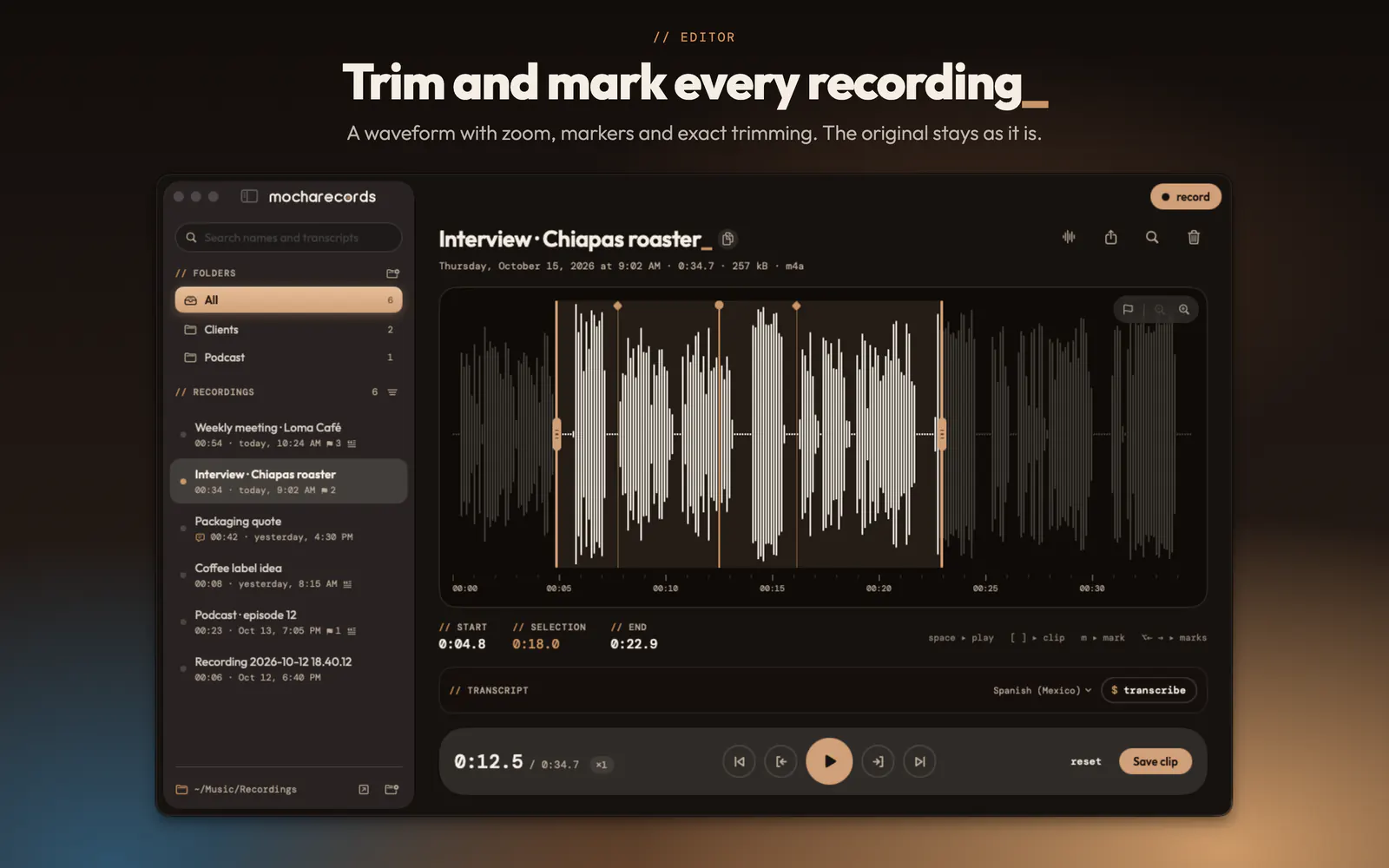
  • MochaRecords editor: the waveform of an interview with markers and a selected trim
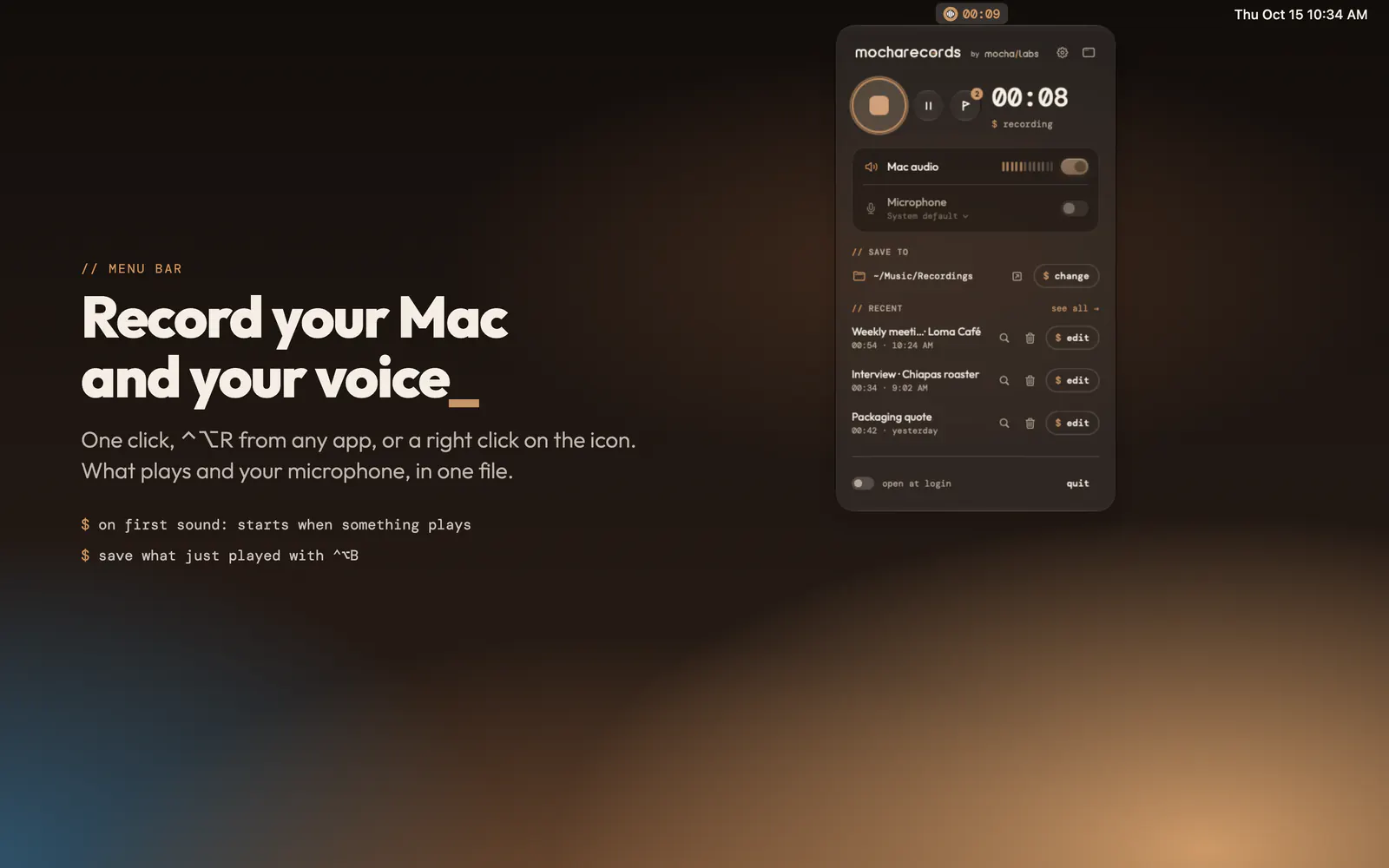
  • MochaRecords menu bar panel recording the Mac audio and the microphone
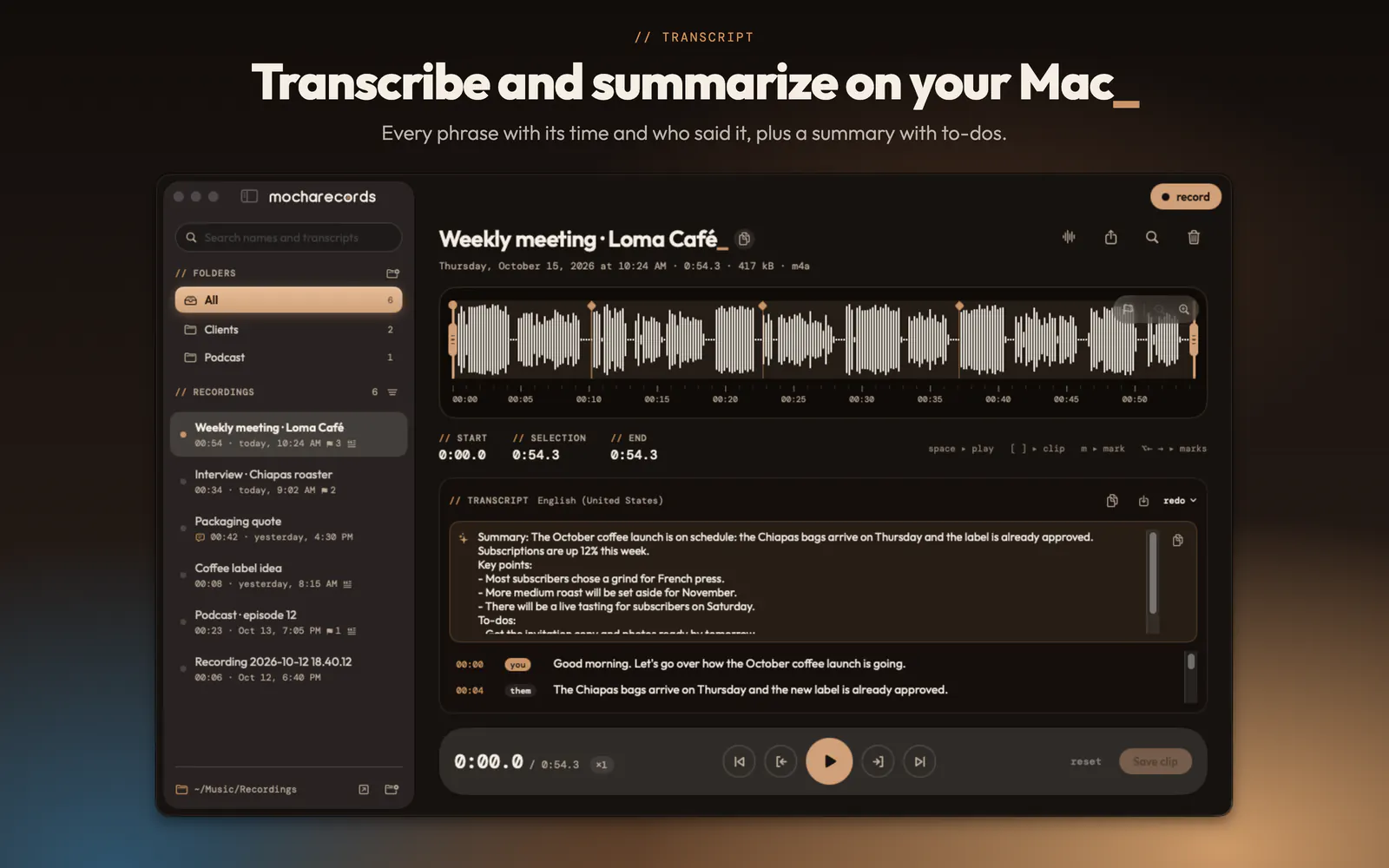
  • A meeting transcribed in MochaRecords, with its summary, key points and to-dos
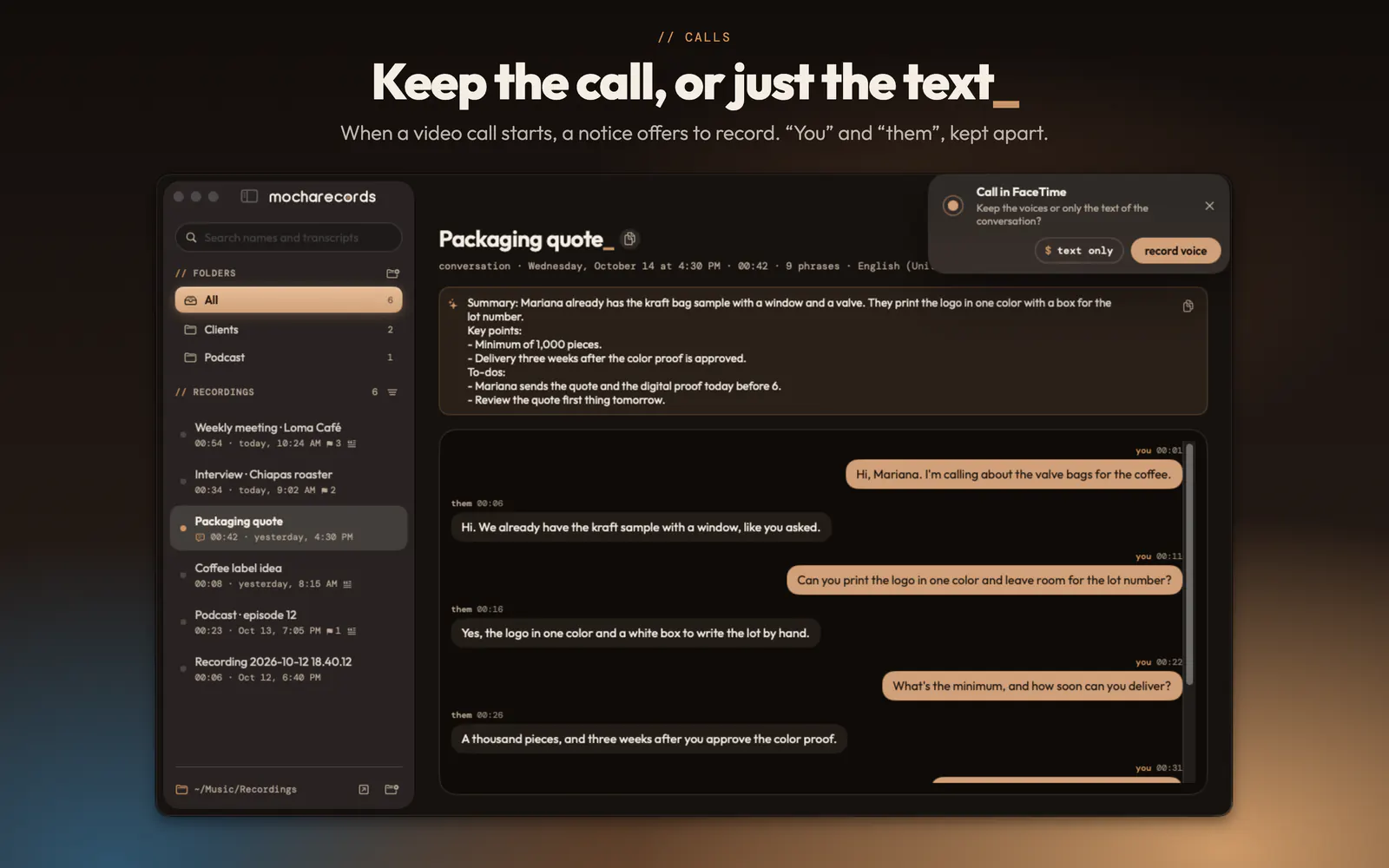
  • A call kept as text, with “you” and “them” apart, and the notice offering to record a video call
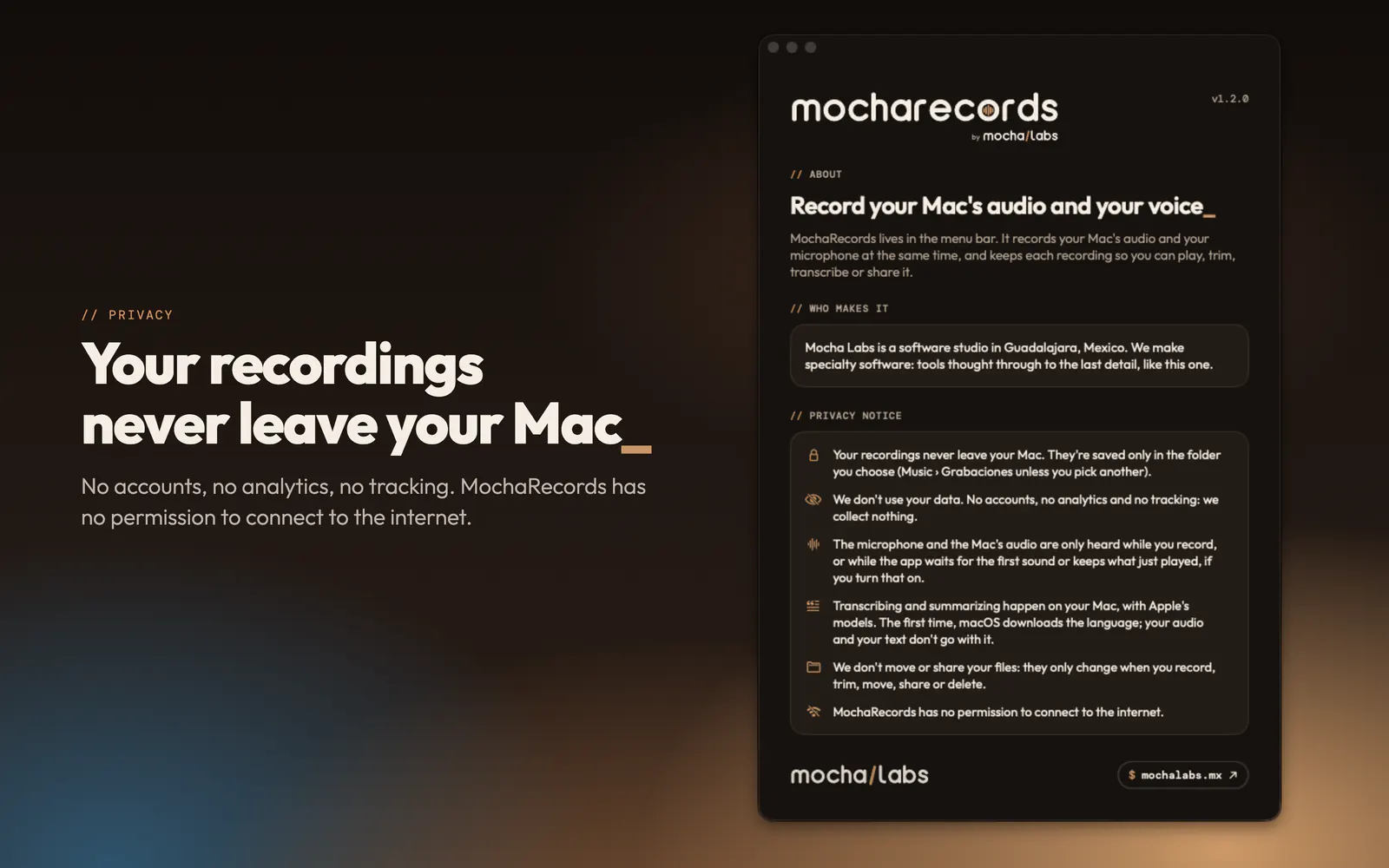
  • About MochaRecords with its privacy notice: your recordings never leave your Mac
  • Record it your way

    What plays on your Mac and your voice, in one file and as separate tracks. One click in the menu bar, or ⌃⌥R from any app.

  • Save what just played

    The last 2, 5 or 10 minutes, even if you didn’t press record. Or have it start on the first sound.

  • Calls and meetings

    When a video call starts, a notice offers to record. Keep the voices or just the text, with “you” and “them” apart.

  • Transcribe and summarize on your Mac

    With Apple’s models, in English, Spanish and other languages. Summary, key points and to-dos with Apple Intelligence.

  • Edit without the fuss

    A waveform with zoom, markers and exact trimming. Export as M4A, WAV or AIFF, or drag the recording into Mail.

  • Your library

    Folders, filters and search by what was said. If your Mac shuts down mid-recording, you get it back when you return.

MochaDesk

Arrange your windows

Arrange the windows of all your apps with shortcuts, by dragging them to an edge or from the layout picker, and save your workspaces to open them in one click.

Download MochaDesk

version 1.0.1 · 2.8 MB Mac with Apple silicon · macOS 26 Tahoe or later

Illustration: three windows arrange themselves with MochaDesk shortcuts, first into a half and two quarters, then into thirds from the layout picker.
  • Arrange with a gesture

    Drag a window to an edge for a half, to a corner for a quarter and to the top to fill. Hold ⇧ to see the zones of your layout.

  • Shortcuts for everything

    ⌃⌥ and the arrows for halves, plus quarters, thirds, center and restore. You can record every shortcut your way.

  • The layout picker

    Right-click the icon or press ⌃⌥Space: all your layouts in miniature, to choose where the window goes.

  • Workspaces

    Save how you arrange your apps and open it in one click. When a display comes back, every window returns to its place.

  • Pin and crop

    Keep a window on top of everything, or crop just a part of it, like a video, so it floats while you work.

  • Every window in sight

    Rest on a Dock icon to see its windows, and switch windows, not apps, with ⌥⇥.

MochaFiles

Your files, at hand

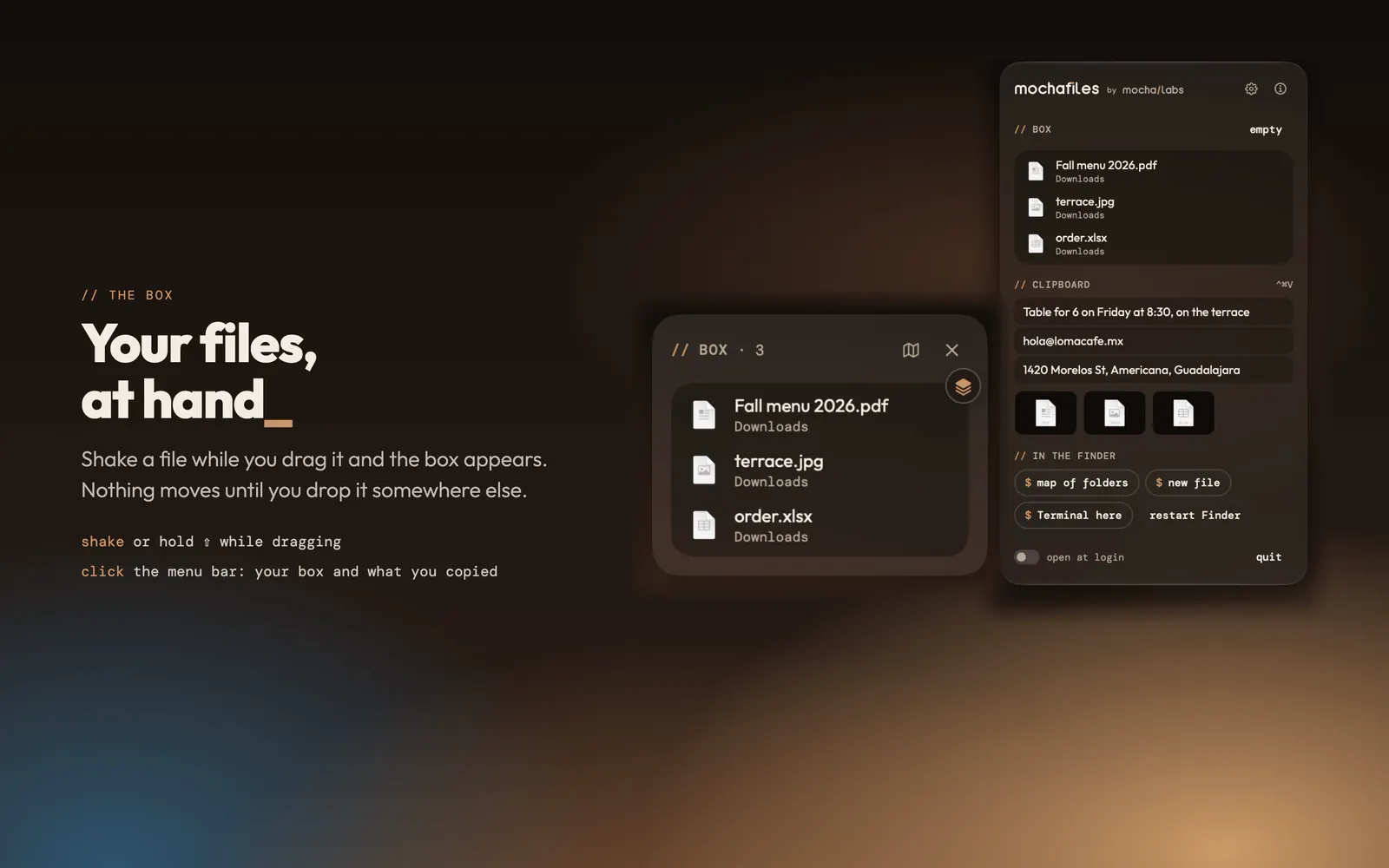
A box to keep files at hand, a map to move them without opening windows, the history of what you copy and where each file came from. It gives the Finder what it’s missing.

Download MochaFiles

version 1.0.1 · 2.3 MB Mac with Apple silicon · macOS 26 Tahoe or later

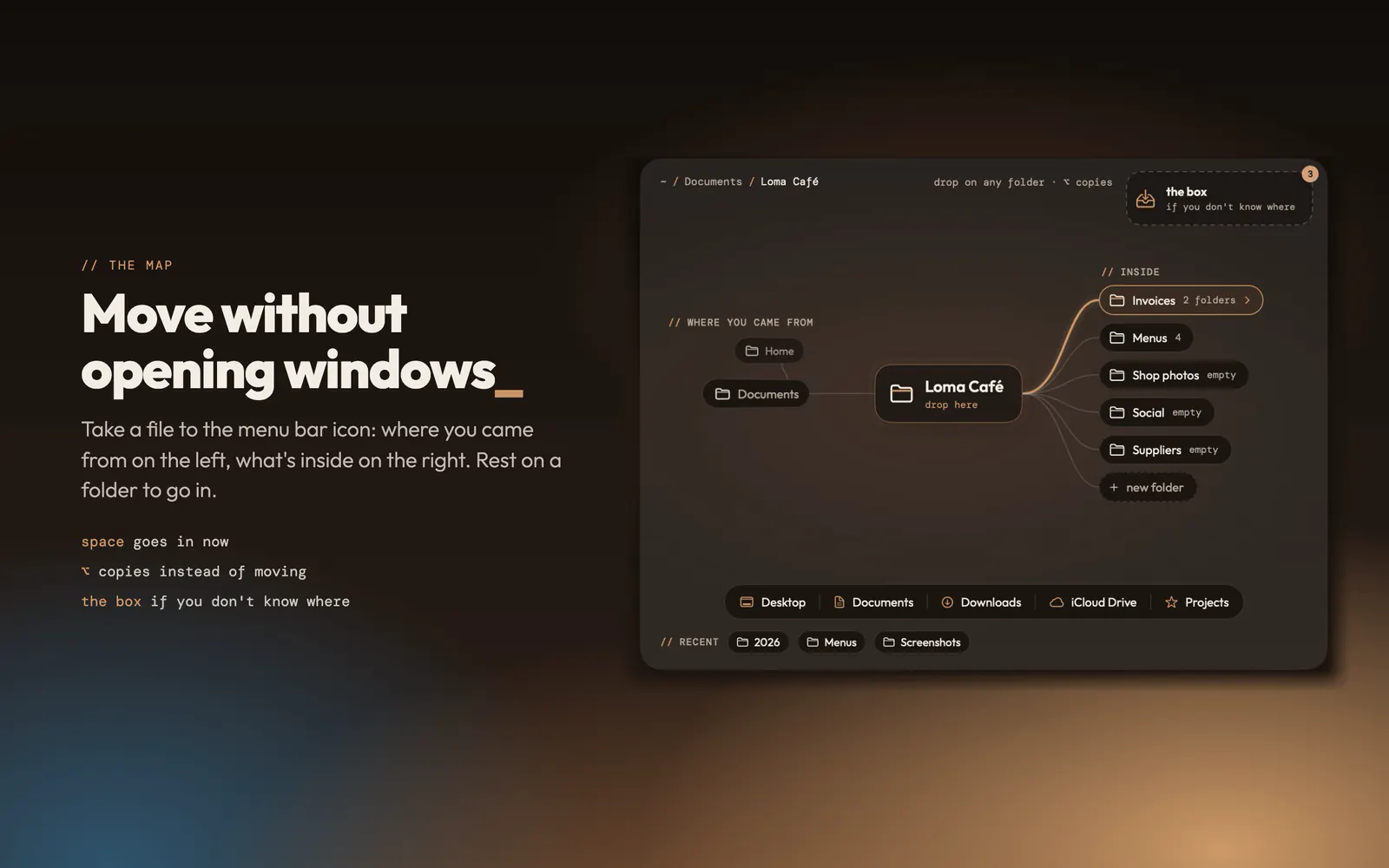
  • The MochaFiles map: where you came from, the current folder and its folders to drop a file
  • The MochaFiles box next to the pointer, with three files at hand
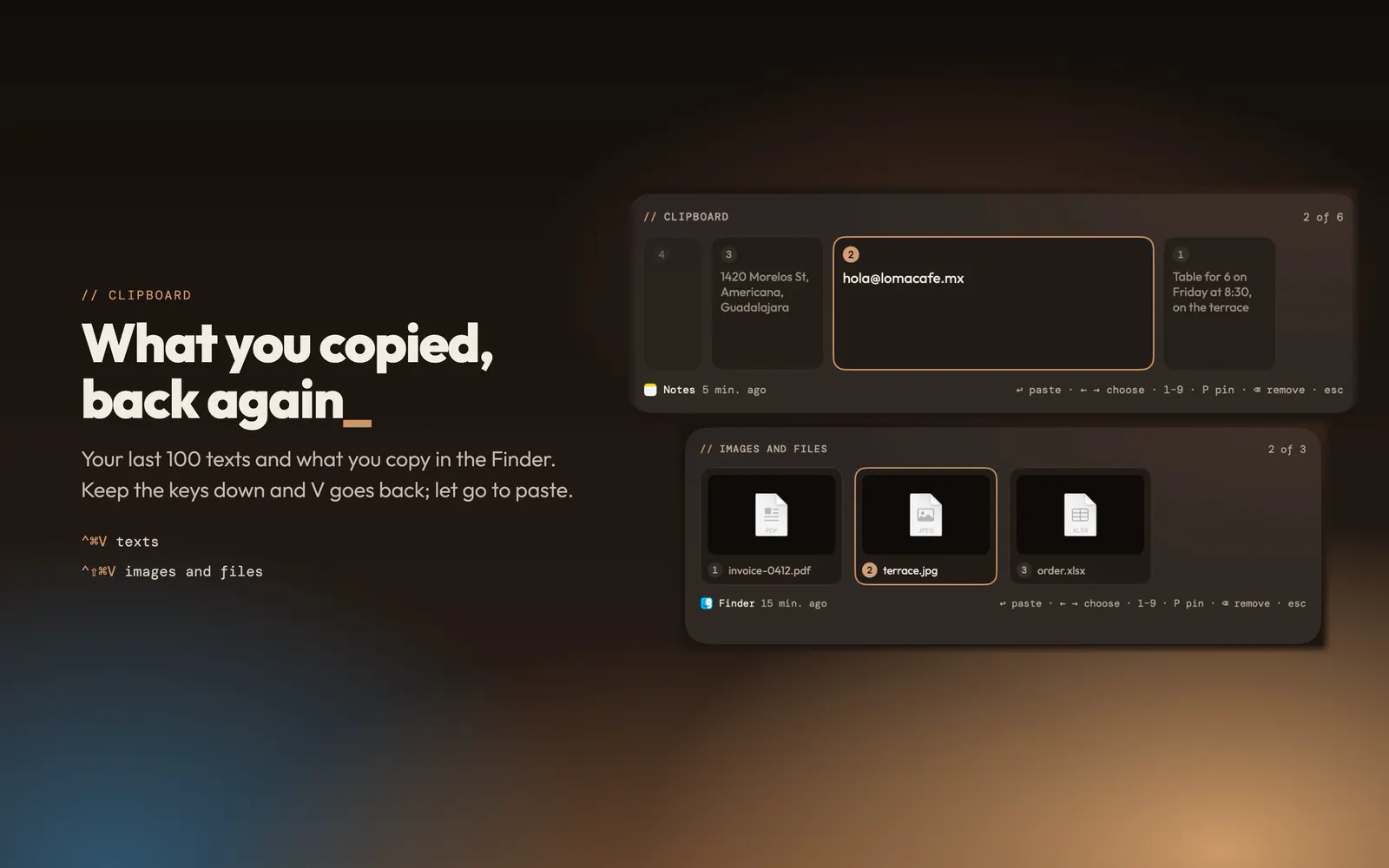
  • The MochaFiles history of what you copied: texts, images and files
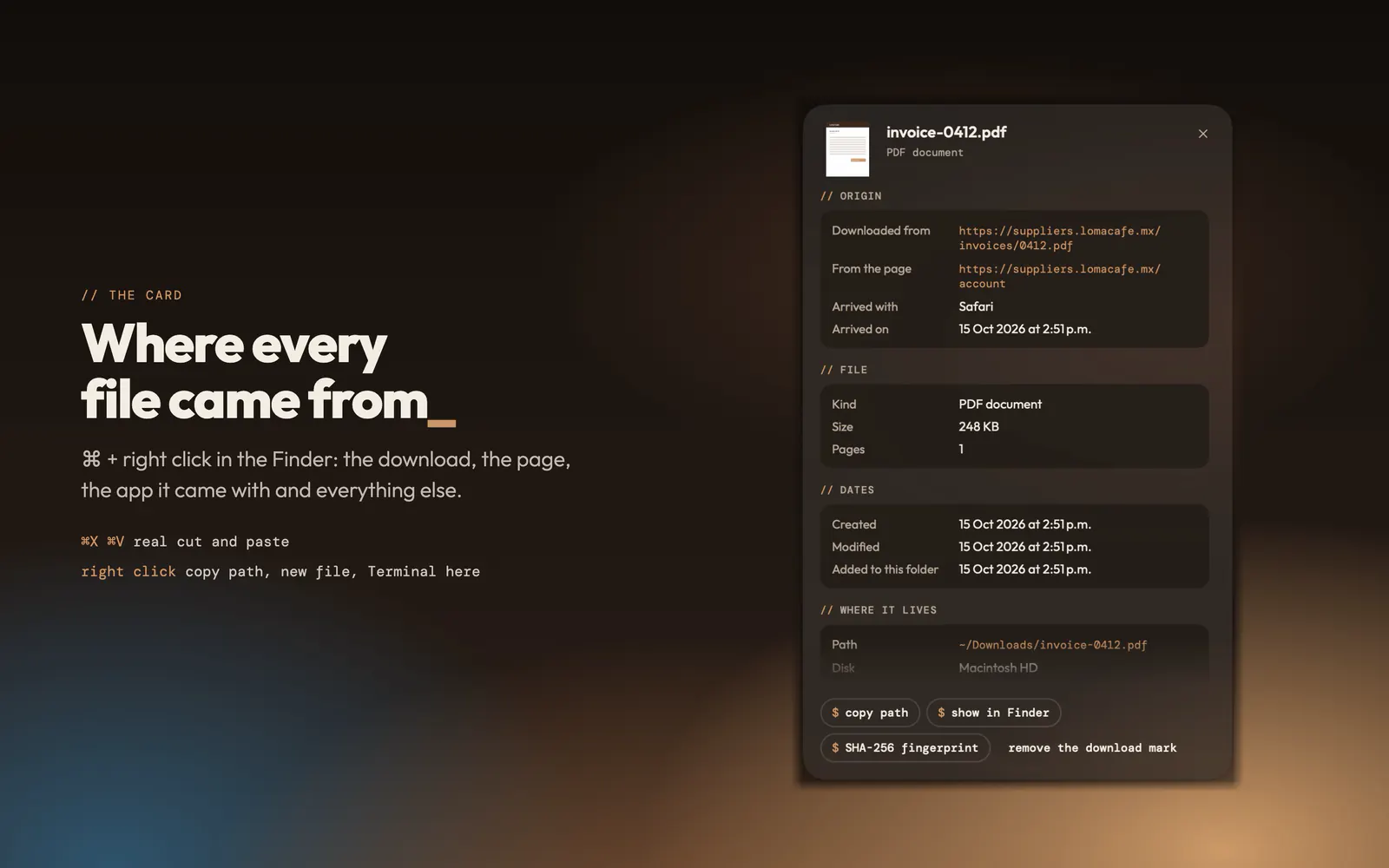
  • The card of a PDF in MochaFiles: where it was downloaded from, which app it came with and when
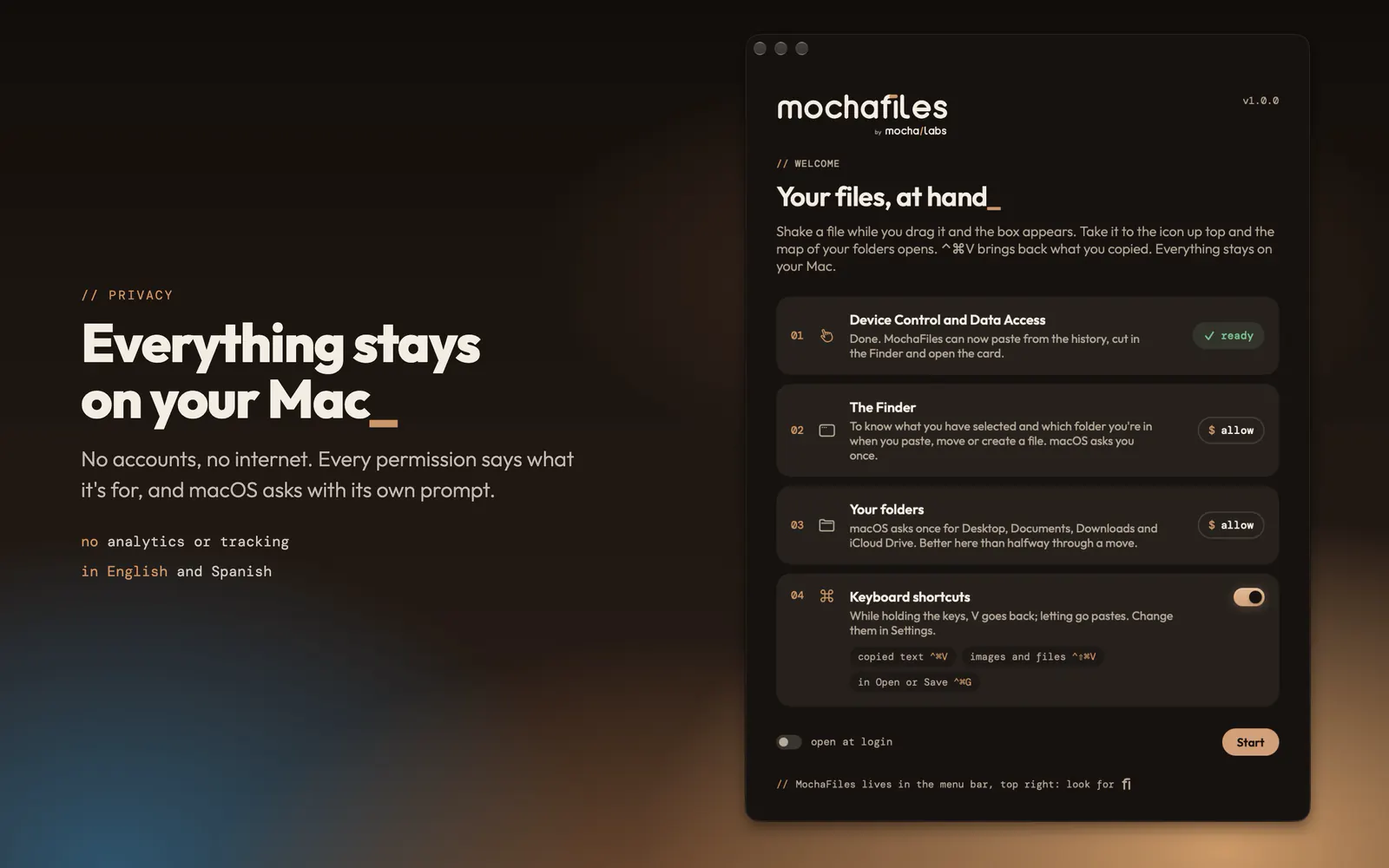
  • The MochaFiles welcome window with each macOS permission and what it is for
  • The box

    Shake a file while you drag it, or hold ⇧, and a box appears next to the pointer. Nothing moves until you take the file out.

  • The map of your folders

    Take a file to the menu bar icon: where you came from, where you are and what’s inside. Drop it and you’re done, with “undo”.

  • What you copied, back again

    ⌃⌘V shows your last 100 texts next to the cursor, and ⌃⇧⌘V your images and files. What your password manager hides is never kept.

  • Real cut and paste

    ⌘X and ⌘V move files in the Finder, also between disks.

  • A card for every file

    ⌘ + right click: where it was downloaded from, from which page, which app it came with and when. Also its SHA-256 fingerprint.

  • More in the Finder

    In the right click: copy path, new text file and open Terminal here. And restart the Finder when it gets stuck.

// How they install

Straight to your Mac

All four download here, for free. They’re signed with an Apple Developer ID certificate and notarized: Apple checks them before they reach your Mac.

Install it in a minute

  1. Open the .dmg file you downloaded.
  2. Drag the app to the Applications folder.
  3. Open it from Applications. macOS tells you it’s an app downloaded from the internet: click Open. This only happens the first time.
  4. The welcome screen asks for the permissions the app needs. Once you grant them, it moves to the menu bar.

To update it

The apps don’t connect to the internet, so they don’t look for new versions on their own. When we publish one, you’ll see it here with its number: download it and drag it to Applications over the old one. Your settings and files stay.

Your version is in About, inside the app.

// App support

Need help with an app?

Write to us and the team that makes them will answer. If something doesn’t work the way you expected, tell us what happened and we’ll look into it.

It helps a lot to tell us which version of the app you use (it’s in About, inside the app) and your macOS version.

Looking for a website, an online store or a system for your business? That goes through our project form, in Spanish.

We only use your data to answer you. Privacy notice